






Diese Website verwendet Cookies und ähnliche Technologien. Dabei handelt es sich um kleine Textdateien, die auf eurem Computer gespeichert und ausgelesen werden. Indem ihr auf "Alles akzeptieren" klickt, stimmt ihr der Verarbeitung von Daten, der Erstellung und Verarbeitung von individuellen Nutzungsprofilen über Websites und über Partner und Geräte hinweg sowie der Übermittlung eurer Daten an Drittanbieter zu, die eure Daten teilweise in Ländern außerhalb der Europäischen Union verarbeiten (GDPR Art. 49). Einzelheiten hierzu findet ihr in den Datenschutzhinweisen. Die Daten werden für Analysen und für eigene Zwecke Dritter verwendet. Weitere Informationen, auch über die Datenverarbeitung durch Drittanbieter und die Möglichkeit des Widerrufs, findet ihr in den Einstellungen und in unseren Datenschutzhinweisen. Hier könnt ihr mit den notwendigen Tools fortfahren.
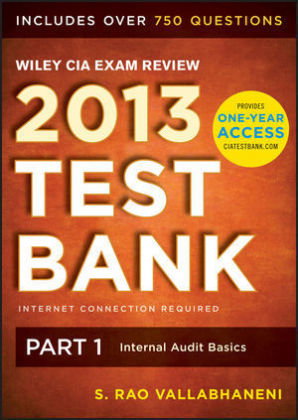
- Verlag: Wiley & Sons
- Autor: Rao Vallabhaneni
- Artikel-Nr.: KNV44550590
- ISBN: 9781118551004
* Multiple-choice questions and their solutions help you sharpen your problem-solving skills
* Progress charts by topic clearly show you the content areas where you meet the passing threshold
* Comprehensive coverage of all current IIA content requirements for each part
* The Exam mode simulates actual exam conditions
* Create unlimited custom practice sessions and tests. View hints or detailed explanations for each question
* Build question sets by sub-topic, not-seen-before, or bookmarked groups. Enter and save notes on any question
System Requirements:
* Internet connection required to use Test Bank at all times (no offline access)
* Operating System: Windows 7, XP, or Mac 10.6
* Browser: IE7-IE9, Firefox 3.6-8.0, or Safari 5.1
Installation Instructions:
* 1. Make sure you have the PIN code enclosed with the CD and you are connected to the Internet.
* 2. Insert CD into your CD-ROM drive.
* Windows users: The on-screen instruction page will automatically load (ensure autorun is enabled).
* Windows 7 users: If autoplay does not launch, navigate to and double-click on Start.html.
* Mac users: The CD icon will appear on your desktop. Double-click the icon to open the CD and double-click on Start.html. Follow the instructions on screen to Activate Test Bank.