






Diese Website verwendet Cookies und ähnliche Technologien. Dabei handelt es sich um kleine Textdateien, die auf eurem Computer gespeichert und ausgelesen werden. Indem ihr auf "Alles akzeptieren" klickt, stimmt ihr der Verarbeitung von Daten, der Erstellung und Verarbeitung von individuellen Nutzungsprofilen über Websites und über Partner und Geräte hinweg sowie der Übermittlung eurer Daten an Drittanbieter zu, die eure Daten teilweise in Ländern außerhalb der Europäischen Union verarbeiten (GDPR Art. 49). Einzelheiten hierzu findet ihr in den Datenschutzhinweisen. Die Daten werden für Analysen und für eigene Zwecke Dritter verwendet. Weitere Informationen, auch über die Datenverarbeitung durch Drittanbieter und die Möglichkeit des Widerrufs, findet ihr in den Einstellungen und in unseren Datenschutzhinweisen. Hier könnt ihr mit den notwendigen Tools fortfahren.
- Verlag: Springer, Berlin
- Autor: Phillip Whitt
- Artikel-Nr.: KNV96294191
- ISBN: 9781484292648
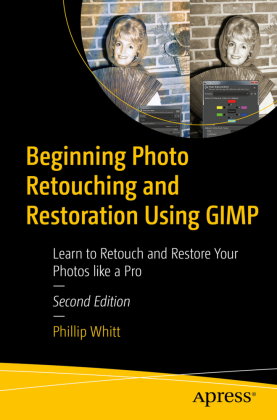
Basic knowledge of GIMP is helpful, but the first chapter provides an overview of the free, open source image editing program. You'll then see how GIMP is a worthy alternative to Adobe Photoshop. You'll also work with step-by-step tutorials to duplicate the results using the same practice images used in the lessons. Because it is cross-platform friendly you can turn "unfixable" photos into digital art on Windows, macOS, and Linux enhancing your learning experience.
Beginning Photo Retouching and Restoration Using GIMP provides insight into the powerful program's wide set of features for just about any type of retouching or restoration work.
What You'll Learn
- Acquire the best scans and digitize large photographs
- Adjust contrast and exposure to make dull images "pop"
- Remove cracks, creases, tears, and blemishes
- Retouch portraits and replace backgrounds
- Preserve your newly restored and printed photographs, and properly store originals
Anyone interested in retouching or restoring photos, whether they are family archivists genealogists, photographers, designers, or students particularly those requiring a powerful program, but don't want or need to use Adobe's subscription-based service to access Photoshop.